Every truck inspected.
Every defect fixed.
Fleet Condition Control runs your whole inspection program from the driver's phone — pre-trips, post-trips, red tags, work orders and condition inspections — so the shop sees problems the minute they're found and nothing unsafe leaves the yard.
Now in beta: we're inviting a few fleets to run it live before it opens to everyone. Works on any phone, tablet or computer.
What it does
One app from the driver's seat to the shop floor
Built inside a working ready-mix and hauling operation, around how inspections actually happen at 5 AM in the yard.
 Pre-trip & post-trip
Inspections drivers actually finish
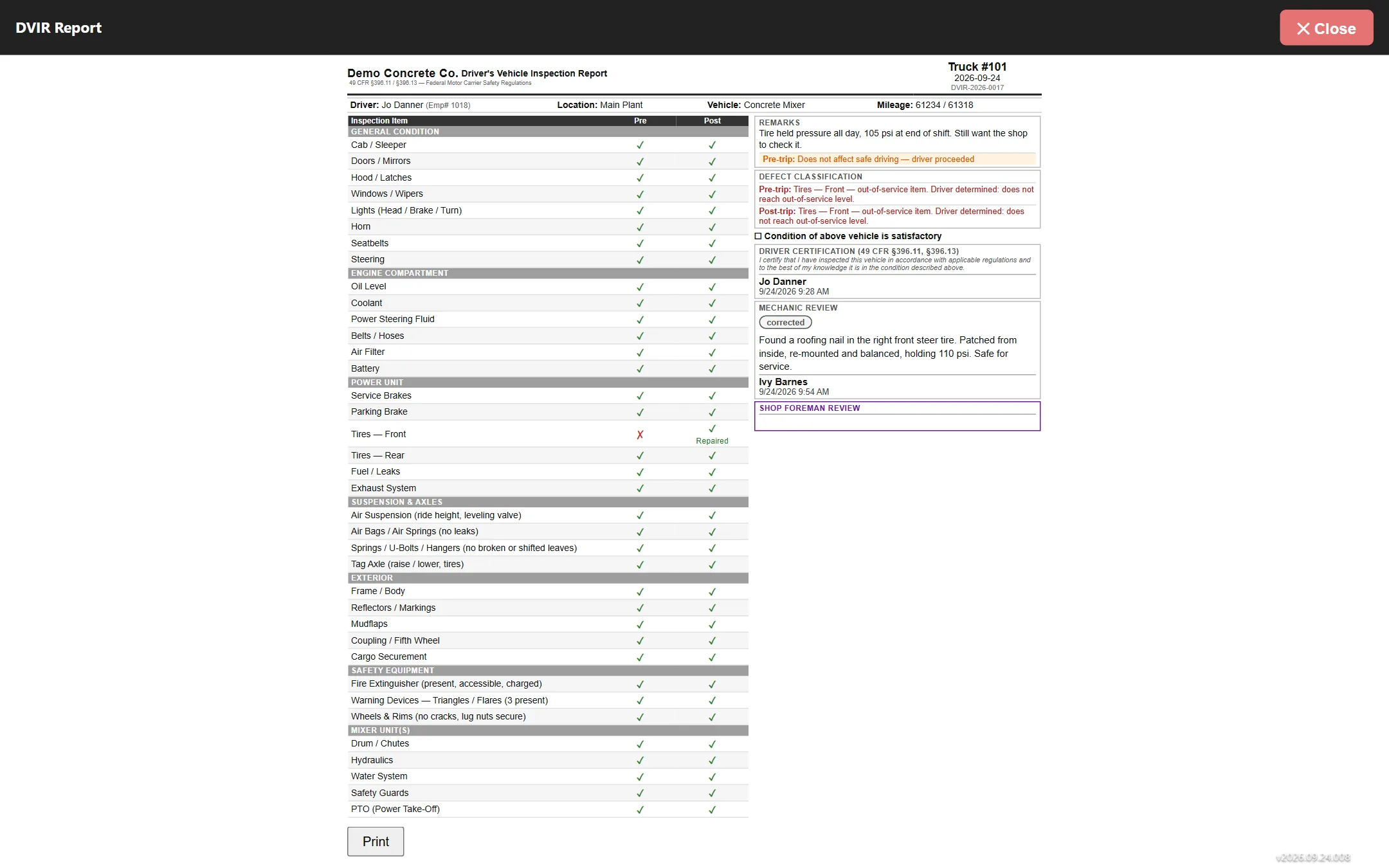
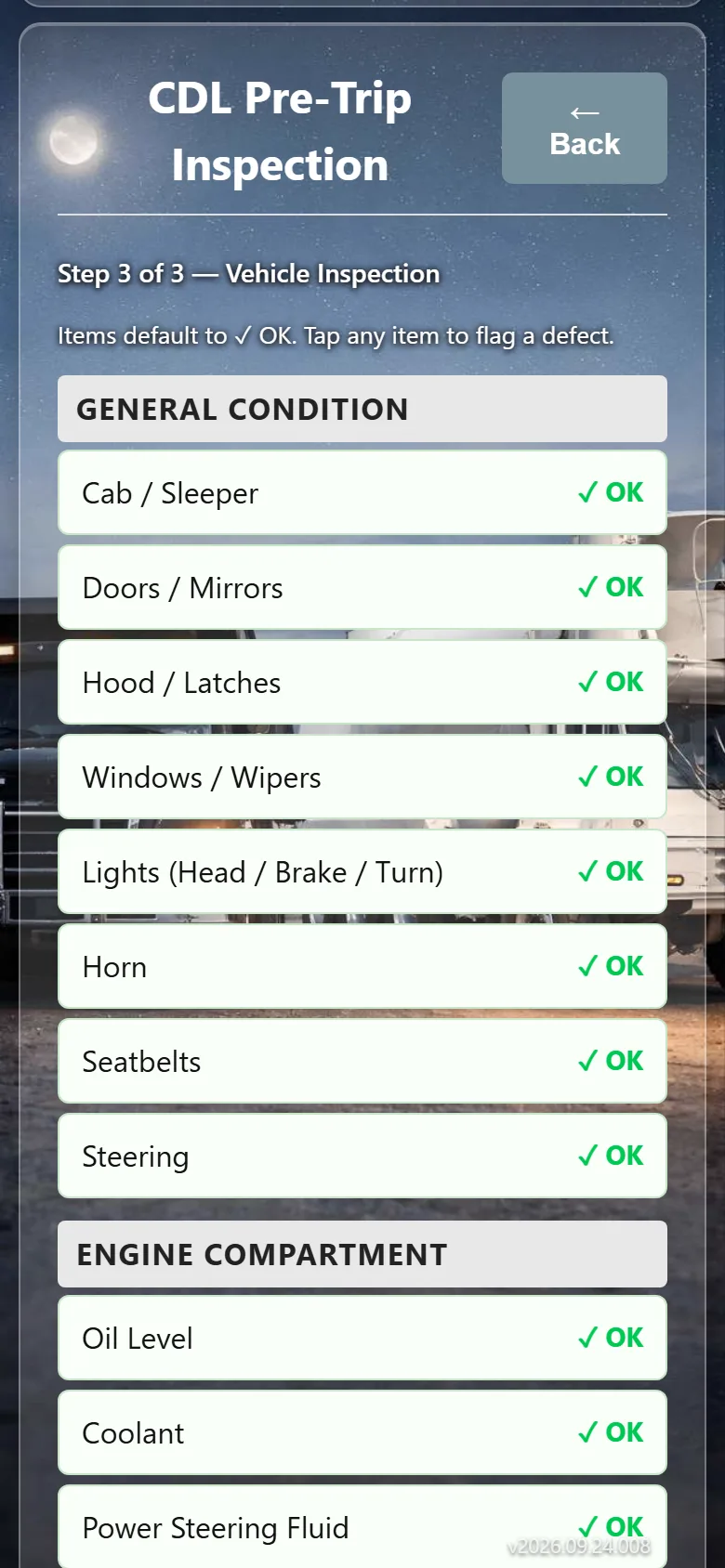
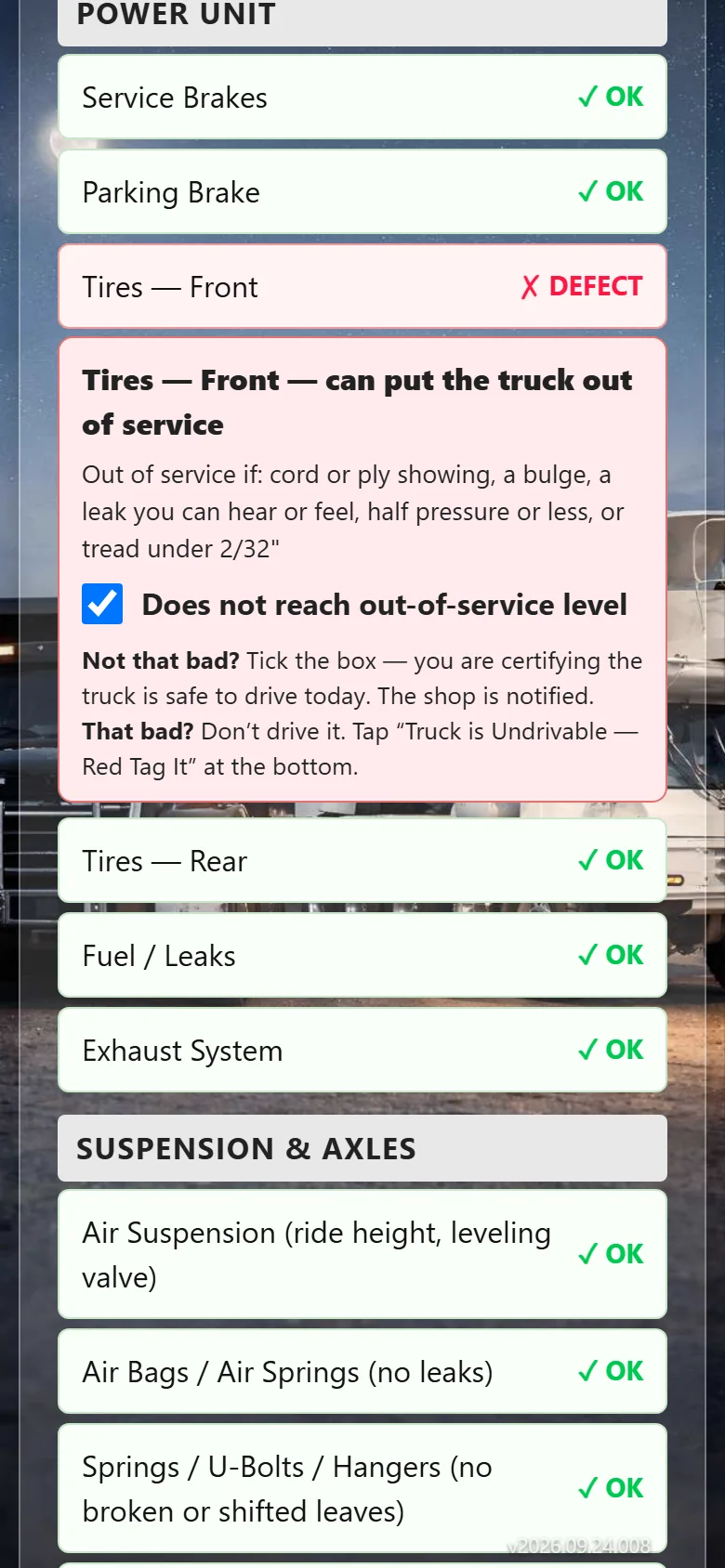
A clear checklist for each truck type and trailer. Drivers tap through it in a couple of minutes, note a defect with a photo, and sign — the record is saved with who, which truck, and when.
- Checklists fit to each truck and trailer type
- Defects go straight to the right shop
- Every inspection kept and searchable
 Red tags
Pull an unsafe truck in seconds
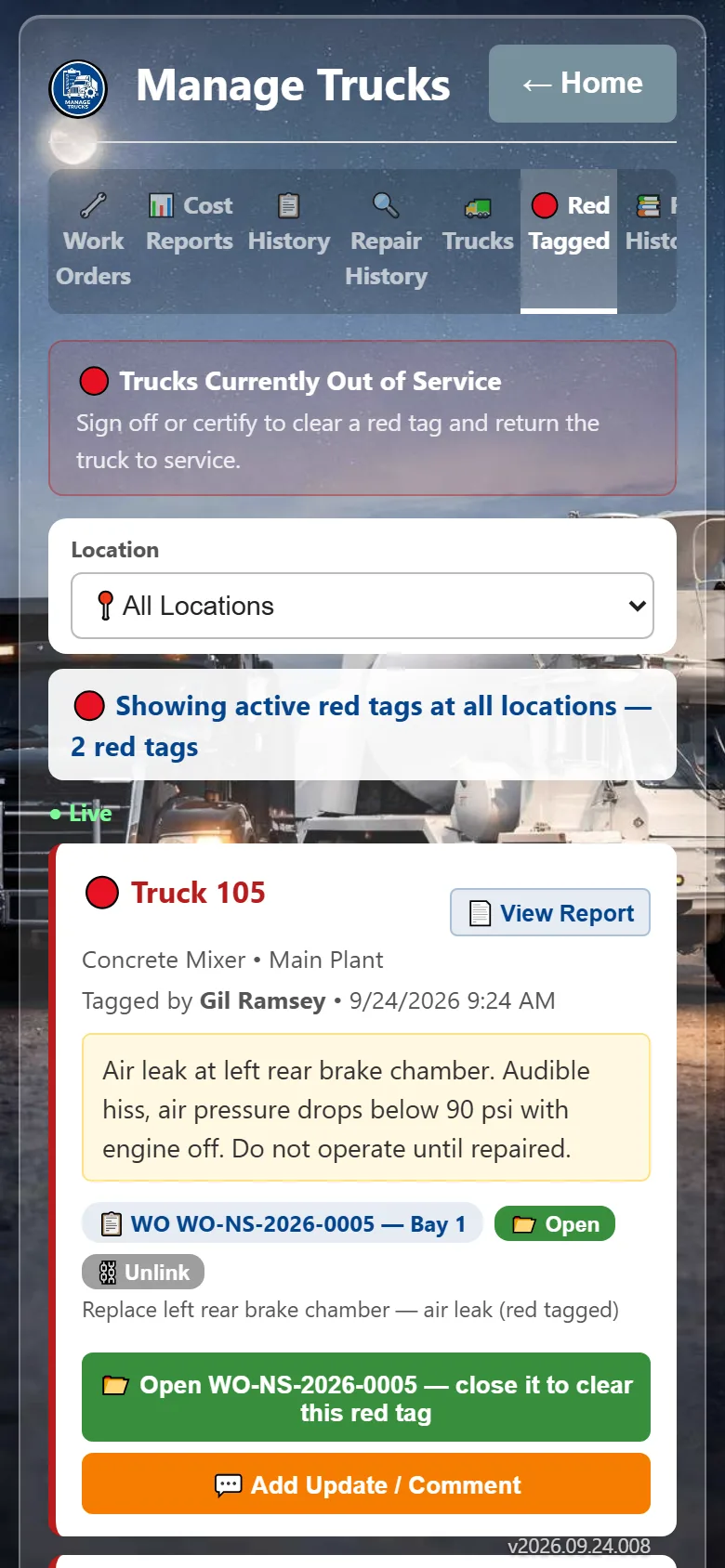
Anyone who finds a serious problem can red tag the truck. It's marked out of service everywhere in the app, the shop and managers are notified, and it stays down until a mechanic clears it.
- Out-of-service status everyone can see
- Instant notice to the shop and managers
- Full red tag history per truck
 Work orders
From "found it" to "fixed it"
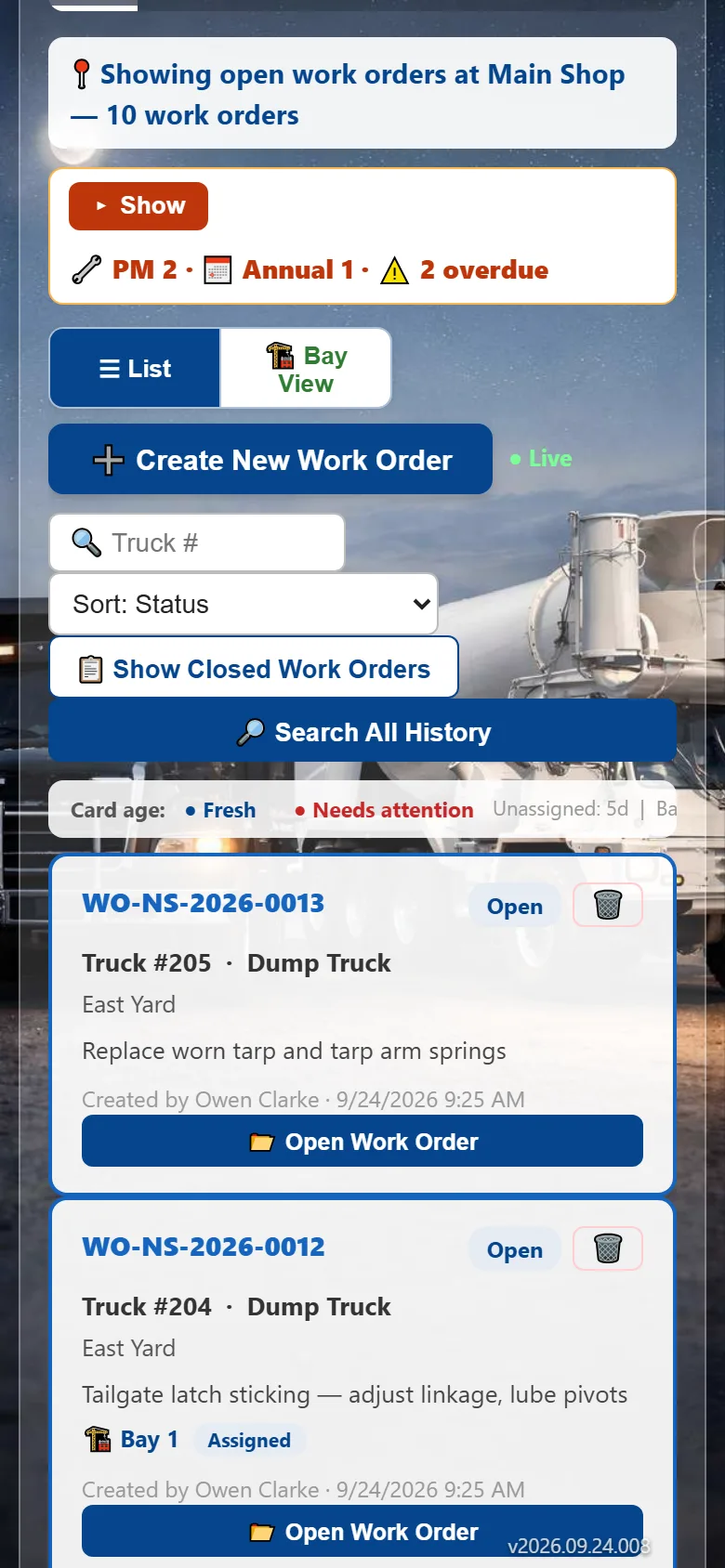
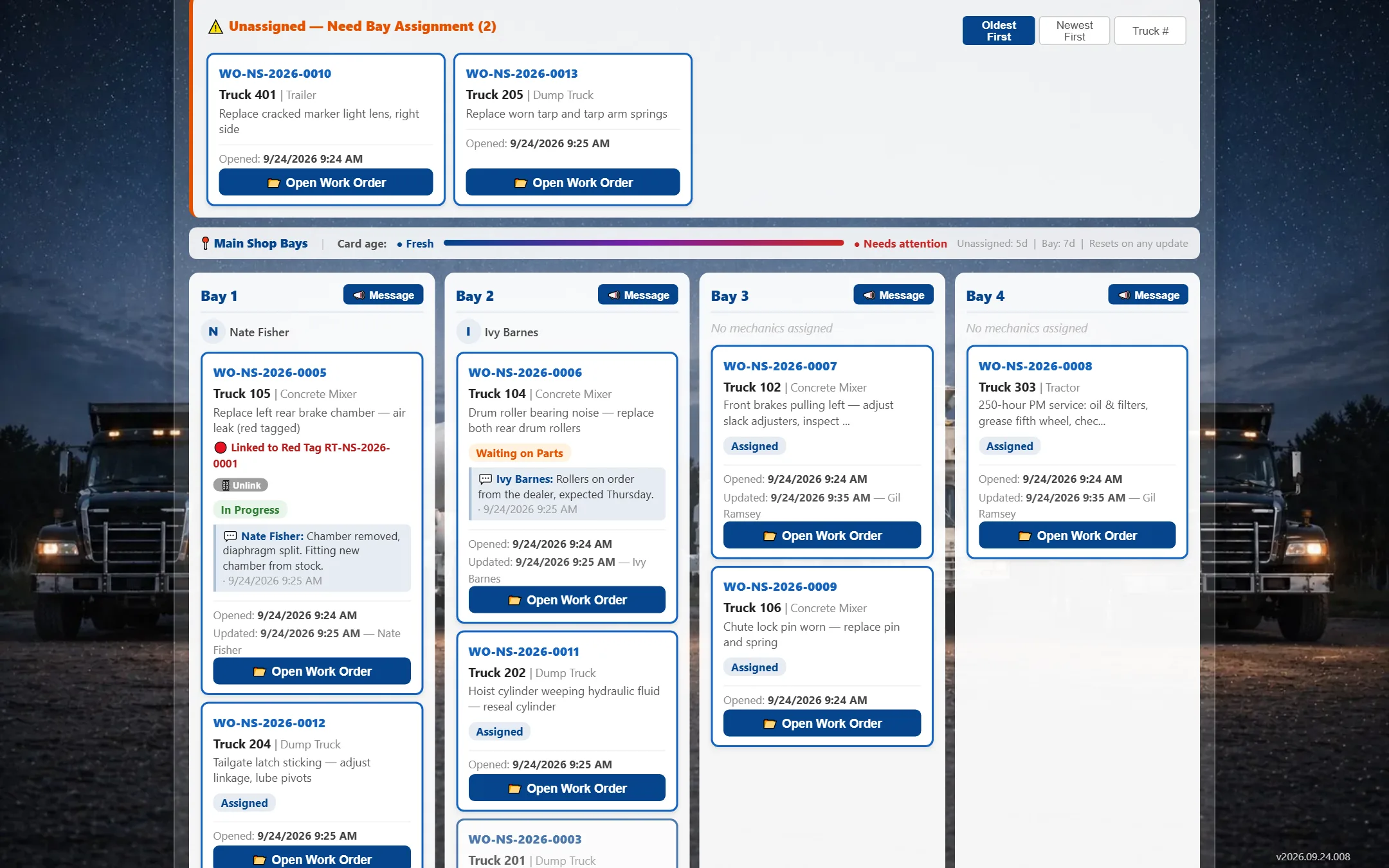
Defects turn into work orders on the shop's board. Mechanics see what's assigned to them, log the repair, and close it out — so you always know what's waiting, what's in progress, and what got done.
- A board for each shop, sorted by priority
- Mechanics see their own list on their phone
- Repair notes and parts kept with the truck
 Fleet view
Your whole fleet at a glance
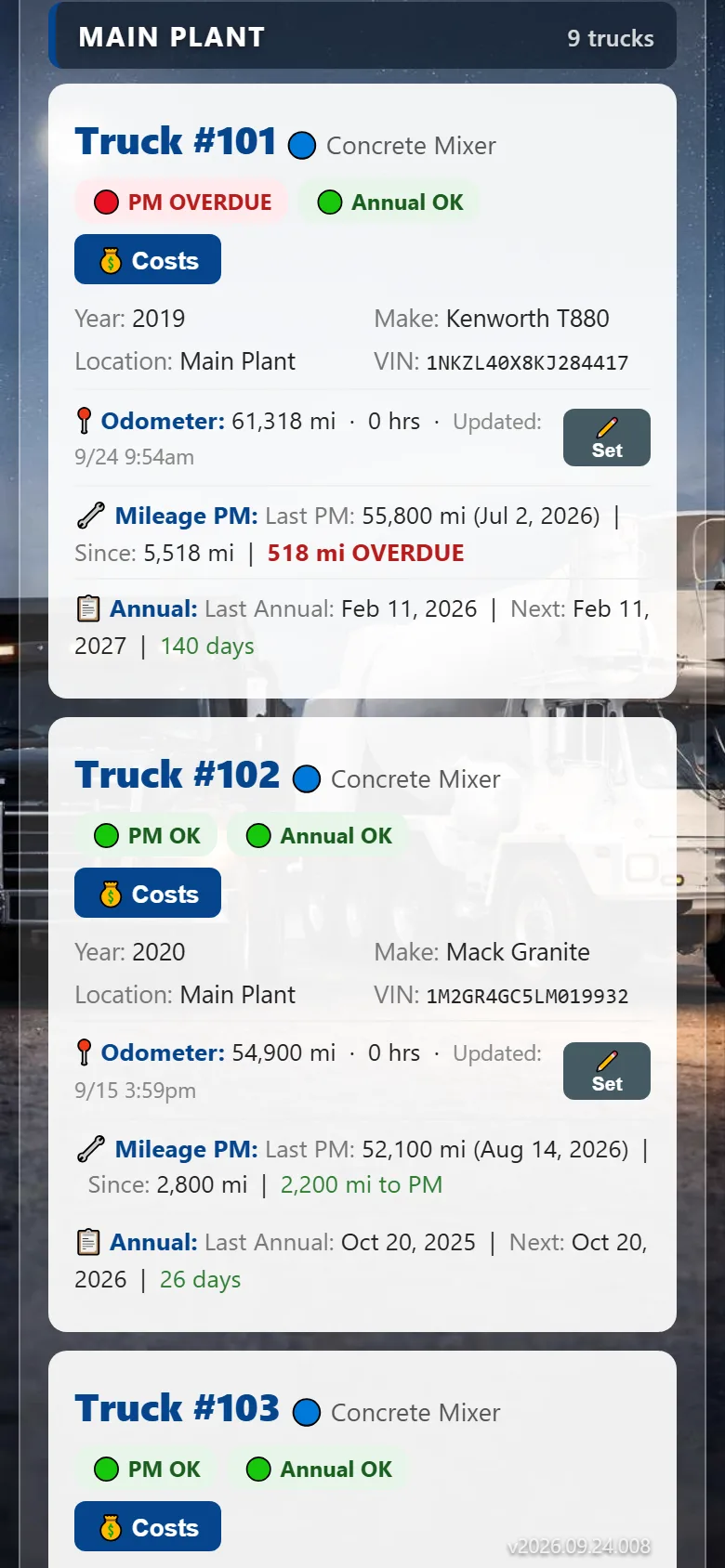
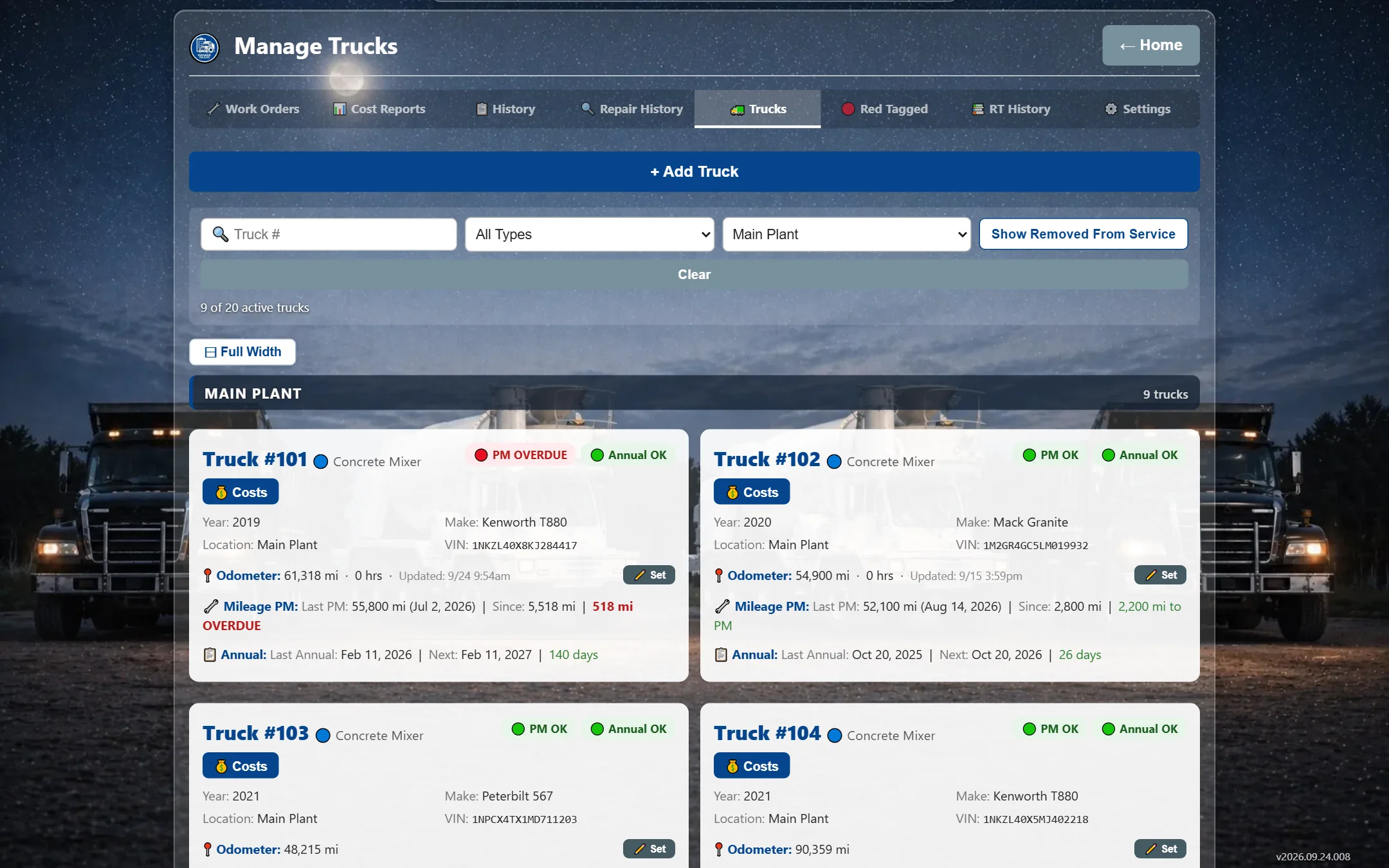
See every truck's status across every plant, yard and shop — what's in service, what's red tagged, and what's coming due for PM or its annual inspection — before it becomes a problem.
- Live status for every truck and trailer
- PM and annual inspections flagged as they come due
- Filter by location or truck type
 Condition inspections
Photo walk-arounds that settle arguments
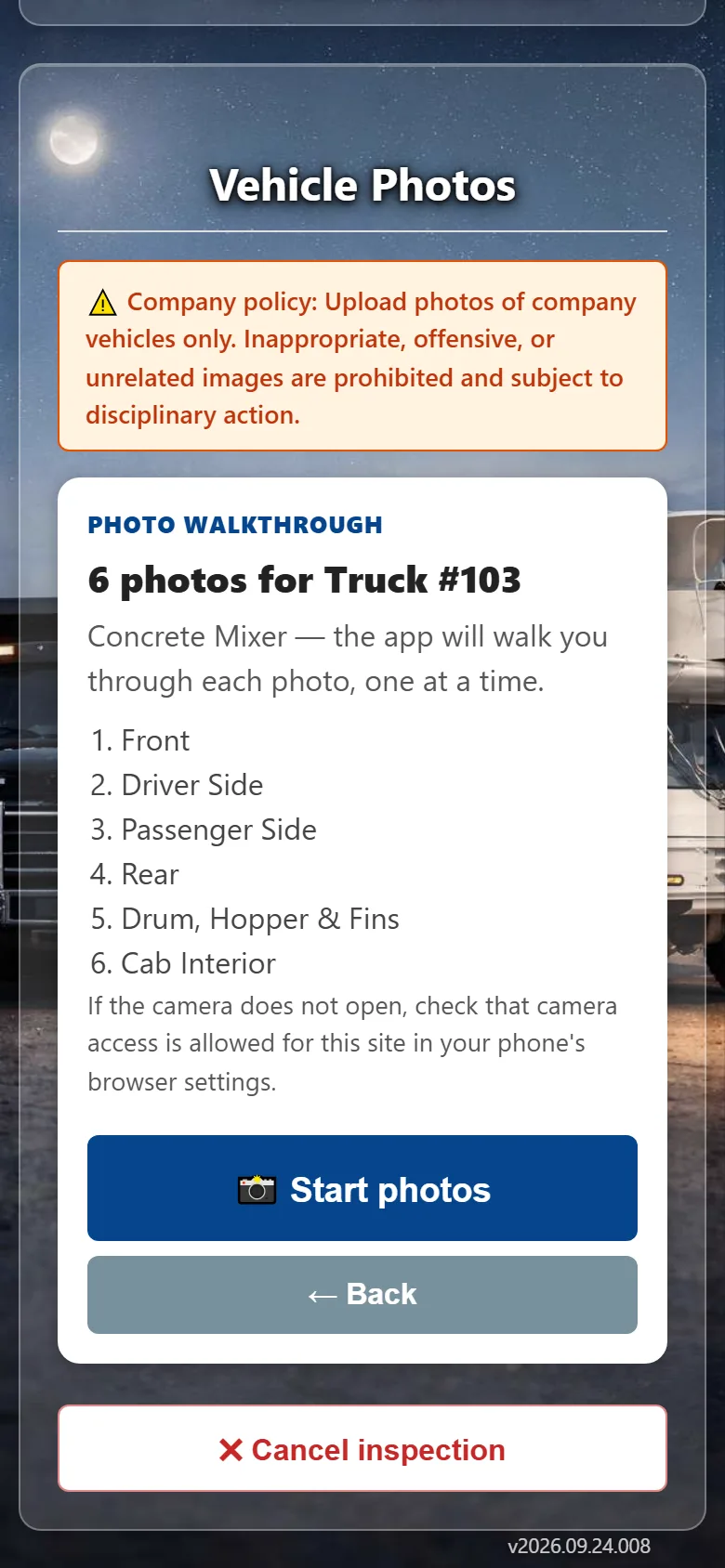
Scheduled truck condition inspections capture photos of every side and every problem area, so you have a dated record of how each truck looked — and who had it.
- Guided walk-around with photos
- Problem areas marked and followed up
- Photos stored safely with the record
 Messaging & notifications
Everyone in the loop, without the phone calls
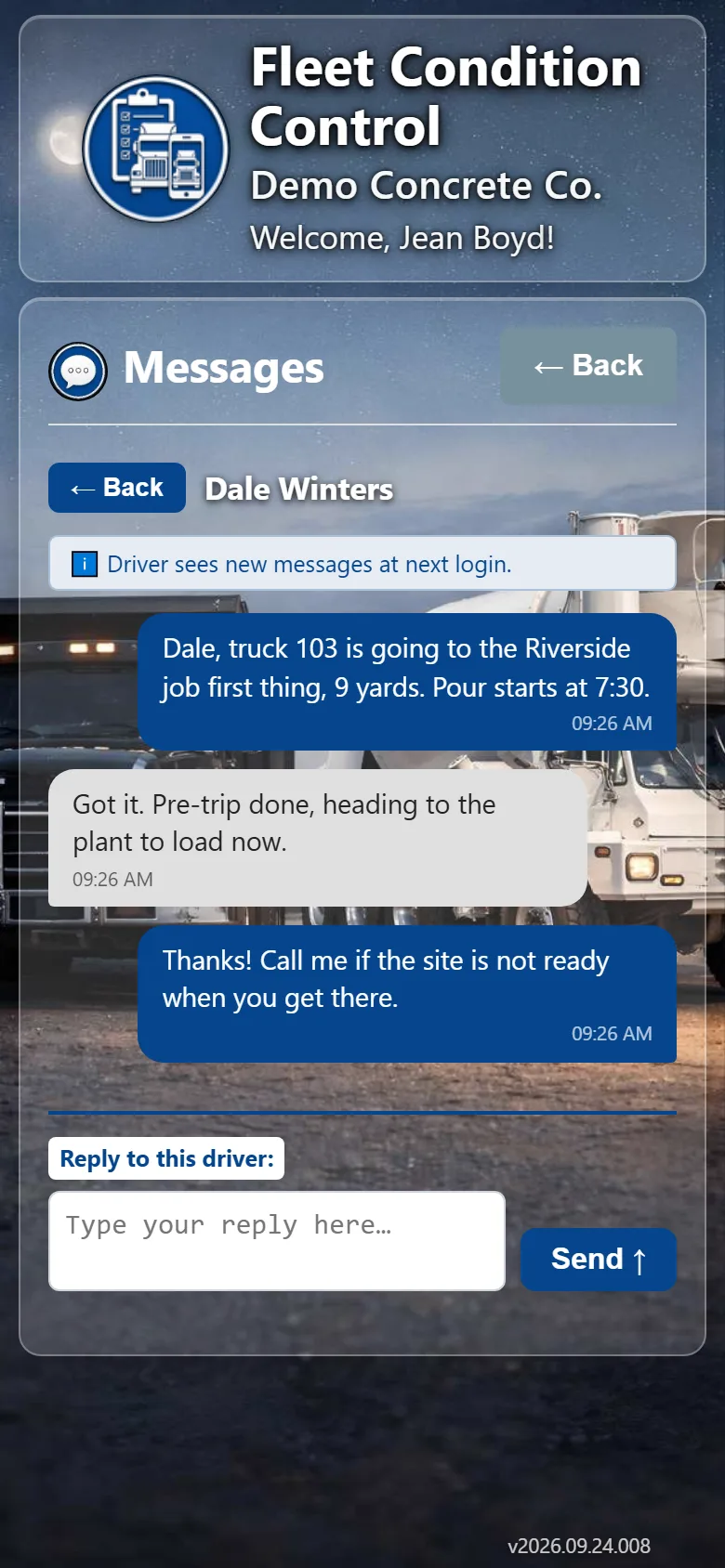
Send messages to drivers, a location or the whole company, and let the app notify the right people when a truck is red tagged, a work order moves, or an inspection is missed.
- Messages to people, crews or locations
- Notifications you choose per person
- A company directory in everyone's pocket
For the office
Wide-screen views for the office and the shop
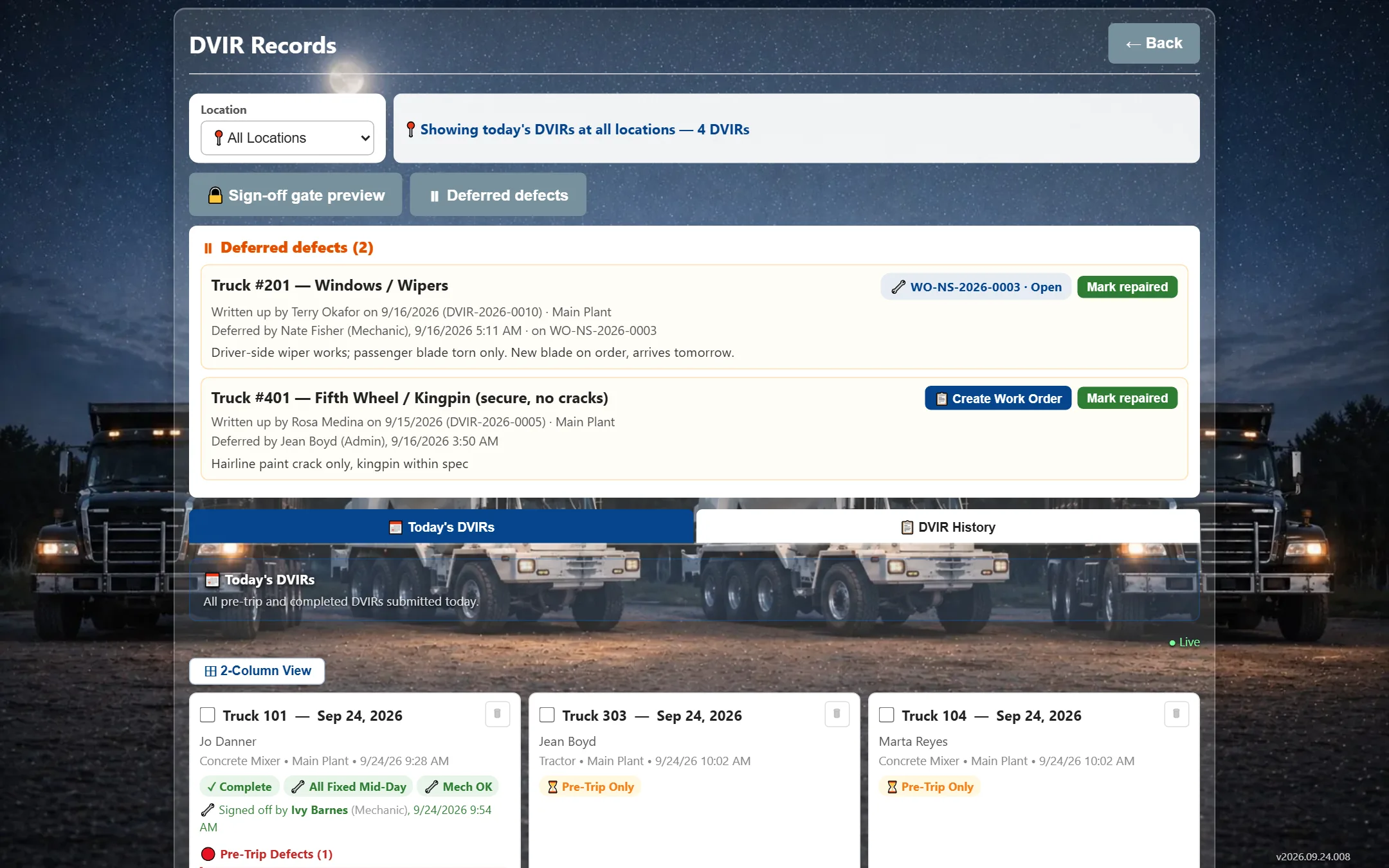
Drivers use their phones. Managers and shop foremen get the full picture on any computer or shop-floor TV.
Every truck at every location — status, red tags, PM and annual due dates — on one wide screen.
Why Fleet Condition Control
Things most inspection apps just don't do
Most DVIR apps stop at the checklist. This one was built by people who run trucks, and it keeps going until the truck is fixed.
Defects go to the shop that actually works that truck
Got a mixer shop and a dump shop? Each shop only sees the truck types it services, at its own locations — no one sorting a shared inbox.
A red tag really takes the truck out of service
A red-tagged truck is flagged on every screen, for every driver and dispatcher, until a mechanic clears it. Not a note someone might read later.
Photo walk-arounds that show who had the truck
Dated, high-resolution condition inspections of every side of the truck, so damage has a when and a who — not a guess.
Permissions by location and by job
Let a plant manager edit their own trucks but only view the rest. Control each area — trucks, people, work orders — per location, not one big on/off switch.
Alerts on your phone the second it happens
Red tags, defects and missed inspections pushed straight to the people who need them — plus company messaging and a directory, built in.
Screens that update live
When a driver red tags a truck, the shop board and fleet view change right then — nobody hits refresh, nobody works off stale info.
Built for mixers, dumps and trailers
Checklists for each truck and trailer type, with separate trailer pre-trips and post-trips — made for concrete, aggregate and hauling fleets.
We set it up with you
Fill in one setup workbook with your locations, people and trucks and your company is ready — no weeks of data entry.
How it works
Found in the yard. Fixed in the shop. Recorded forever.
Every defect follows the same path, and everyone can see where it is.
Driver inspects
Pre-trip on the phone before the truck rolls.
→Defect reported
With a photo — or the truck gets red tagged.
→Shop repairs
A work order lands on the right mechanic's list.
→Back in service
Cleared, closed and kept on the truck's record.
→Who it's for
Each person sees exactly what their job needs
Roles and locations keep screens simple for drivers and complete for managers.
Drivers
Their truck, their inspections, their messages. Big buttons, done in minutes.
Mechanics & shops
The work order board, red tags to clear, and each truck's repair history.
Foremen & dispatch
Who inspected, who didn't, and which trucks are ready to go today.
Admins
People, trucks and locations — for one plant or the whole company.
And the rest
Everything a fleet program needs
Installs like an app
Add it to the home screen on iPhone or Android. Nothing to download from a store.
Multiple locations
Plants, yards and shops, each with their own trucks, people and work.
PM & annual due dates
See what's coming due on the pre-trip screen and the work order board.
Trucks and trailers
Mixers, dumps, tractors, trailers — each type with its own checklist.
Export to Excel
Pull your people, trucks and records into a spreadsheet any time.
Your company's look
Add your logo and pick a color theme your crews will recognize.
Fast setup
Fill in one setup workbook with your locations, people and trucks — we load it for you.
Your data stays yours
Every company is kept completely separate, and every action is tied to a real person.
Records kept
Inspection history and photos stored and searchable for years, not buried in a filing cabinet.
Help us put inspections on every driver's phone
We're looking for a few fleets to run the app live before it opens to everyone. Beta testers get a trial account we set up with them, and a direct line to shape what we build next.